Imp Imp
← Back to Arsenal
Whatsapp Business Poster

Whatsapp Business Poster

Automation

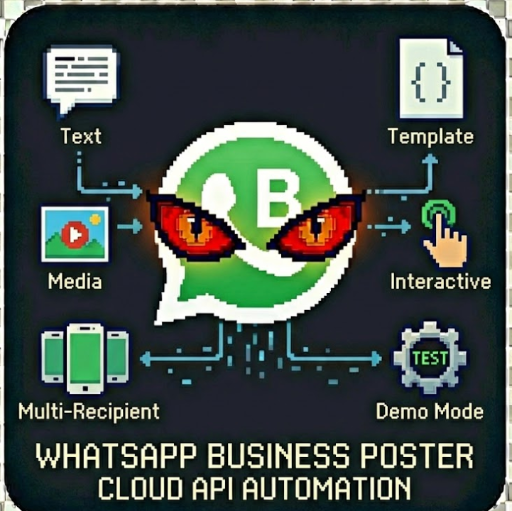
Send automated WhatsApp messages via the official Cloud API. Perfect for customer notifications, appointment reminders, order updates & marketing campaigns. Text Messages, Template Messages, Media Messages, Interactive Messages, Multi-Recipient, Demo Test the actor without sending real messages

WhatsApp Business Poster

"WhatsApp Cloud API Messaging Automation" by John Rippy | johnrippy.link
🏆 2025 Zapier Automation Hero of the YearProject Phoenix: A 95-step AI sales pipeline cutting development time by 50%. Read more →

---

Send automated WhatsApp messages via the official Cloud API. Perfect for customer notifications, appointment reminders, order updates, and marketing campaigns.

Features

Setup

1. Create a Meta Business Account

1. Go to Meta Business Suite

2. Create or select your business

3. Navigate to WhatsApp > Getting Started

2. Set Up WhatsApp Business API

1. In Meta Business Suite, go to WhatsApp > API Setup

2. Create a System User with WhatsApp permissions

3. Generate a permanent access token

4. Note your Phone Number ID from the API settings

3. Verify Recipients

WhatsApp Business API requires recipients to:

Usage Examples

Simple Text Message

{

"accessToken": "EAA...",

"phoneNumberId": "123456789",

"recipientPhone": "+1234567890",

"messageType": "text",

"textMessage": "Hello! Your order has been shipped."

}

Template Message

{

"accessToken": "EAA...",

"phoneNumberId": "123456789",

"recipientPhone": "+1234567890",

"messageType": "template",

"templateName": "appointment_reminder",

"templateLanguage": "en_US",

"templateComponents": "[{\"type\":\"body\",\"parameters\":[{\"type\":\"text\",\"text\":\"John\"},{\"type\":\"text\",\"text\":\"Tomorrow at 3 PM\"}]}]"

}

Image with Caption

{

"accessToken": "EAA...",

"phoneNumberId": "123456789",

"recipientPhone": "+1234567890",

"messageType": "image",

"mediaUrl": "https://example.com/promo.jpg",

"mediaCaption": "Check out our latest offers!"

}

Interactive Buttons

{

"accessToken": "EAA...",

"phoneNumberId": "123456789",

"recipientPhone": "+1234567890",

"messageType": "interactive",

"interactiveType": "button",

"interactiveBody": "Would you like to confirm your appointment?",

"interactiveButtons": "[{\"type\":\"reply\",\"reply\":{\"id\":\"confirm\",\"title\":\"Yes, Confirm\"}},{\"type\":\"reply\",\"reply\":{\"id\":\"cancel\",\"title\":\"Cancel\"}}]"

}

Multi-Recipient Broadcast

{

"accessToken": "EAA...",

"phoneNumberId": "123456789",

"recipientPhones": ["+1234567890", "+0987654321", "+1122334455"],

"messageType": "template",

"templateName": "weekly_newsletter"

}

Output

Each message result includes:

{

"recipientPhone": "+1234567890",

"messageId": "wamid.HBgLMTIz...",

"status": "sent",

"messageType": "text",

"content": "Hello! Your order has been shipped.",

"sentAt": "2024-01-15T10:30:00.000Z"

}

Pricing

Message Templates

WhatsApp requires pre-approved templates for:

Create templates in Meta Business Suite > WhatsApp > Message Templates.

Rate Limits

WhatsApp Business API has rate limits based on your tier:

Error Handling

Common errors:

Support

For issues or feature requests, visit johnrippy.link

🏆 2025 Zapier Automation Hero of the YearProject Phoenix: A 95-step AI sales pipeline cutting development time by 50%. Read more →

---

Built by John Rippy | johnrippy.link
🏆 2025 Zapier Automation Hero of the YearProject Phoenix: A 95-step AI sales pipeline cutting development time by 50%. Read more →
149,000
KILLS
100%
HEALTH
Doomguy
274
ACTORS
0/3
SECRETS