Imp Imp
← Back to Arsenal
Messaging Platform MCP Server

Messaging Platform MCP Server

Mcp Servers

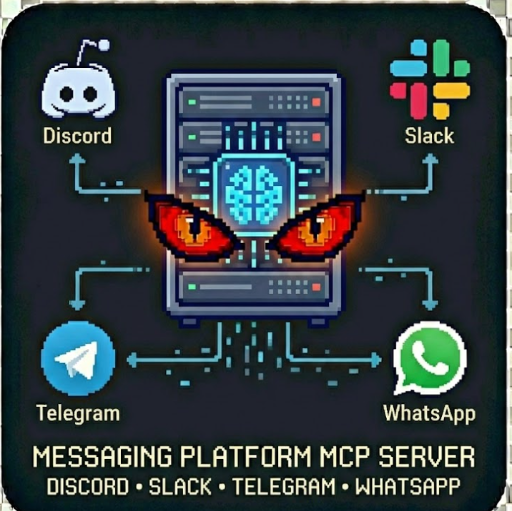
Model Context Protocol (MCP) server providing unified access to Discord, Slack, Telegram & WhatsApp messaging. Perfect for AI assistants that need to send notifications, alerts or messages across platforms. Multi-Platform Support, Unified Interface, MCP Compatible, Rich Messages Embeds Demo Mode

Messaging Platform MCP Server

Model Context Protocol (MCP) server providing unified access to Discord, Slack, Telegram, and WhatsApp messaging platforms. Perfect for AI assistants that need to send notifications, alerts, or messages across multiple platforms.

Features

Available Tools

send_discord_message

Send messages to Discord channels via webhook or bot token.

{

"tool": "send_discord_message",

"toolInput": {

"webhookUrl": "https://discord.com/api/webhooks/...",

"content": "Hello from MCP Server!",

"username": "Bot Name",

"embeds": [{"title": "Alert", "description": "New notification"}]

}

}

send_slack_message

Send messages to Slack channels or users.

{

"tool": "send_slack_message",

"toolInput": {

"channel": "#notifications",

"text": "New alert!",

"blocks": [{"type": "section", "text": {"type": "mrkdwn", "text": "Important"}}]

}

}

send_telegram_message

Send messages via Telegram Bot API.

{

"tool": "send_telegram_message",

"toolInput": {

"chatId": "@channelname",

"text": "Bold message with _italic_",

"parseMode": "Markdown"

}

}

send_whatsapp_message

Send WhatsApp Business messages via Cloud API.

{

"tool": "send_whatsapp_message",

"toolInput": {

"to": "+1234567890",

"messageType": "text",

"text": "Your order has been shipped!"

}

}

list_platforms

List all available platforms and their configuration status.

{

"tool": "list_platforms"

}

get_platform_status

Check if a specific platform is configured and ready.

{

"tool": "get_platform_status",

"toolInput": {

"platform": "discord"

}

}

Setup

Discord

1. Create a Discord bot at https://discord.com/developers/applications

2. Copy the bot token

3. Or create a webhook URL in channel settings

Slack

1. Create a Slack app at https://api.slack.com/apps

2. Add chat:write scope

3. Install to workspace and copy OAuth token

Telegram

1. Message @BotFather on Telegram

2. Create a new bot with /newbot

3. Copy the bot token

WhatsApp

1. Set up WhatsApp Business at Meta Business Suite

2. Create a system user with WhatsApp permissions

3. Generate an access token

4. Note your Phone Number ID

Usage Examples

MCP Discovery (No Tool)

{}

Returns tool definitions for AI assistants.

Demo Mode

{

"tool": "send_discord_message",

"demoMode": true

}

Returns sample output without sending actual messages.

Multi-Platform Notification

Run the actor multiple times with different tools to send to all platforms.

Output

{

"tool": "send_slack_message",

"platform": "slack",

"status": "success",

"messageId": "1234567890.123456",

"recipient": "#notifications",

"content": "Alert sent!",

"executedAt": "2024-01-15T10:30:00.000Z"

}

Pricing

Use Cases

Rate Limits

Respects each platform's rate limits:

Support

For issues or feature requests, visit johnrippy.link

🏆 2025 Zapier Automation Hero of the YearProject Phoenix: A 95-step AI sales pipeline cutting development time by 50%. Read more →

---

Built by John Rippy | johnrippy.link
🏆 2025 Zapier Automation Hero of the YearProject Phoenix: A 95-step AI sales pipeline cutting development time by 50%. Read more →
149,000
KILLS
100%
HEALTH
Doomguy
274
ACTORS
0/3
SECRETS