Imp Imp
← Back to Arsenal
GMail Sentiment Scanner

GMail Sentiment Scanner

Ai

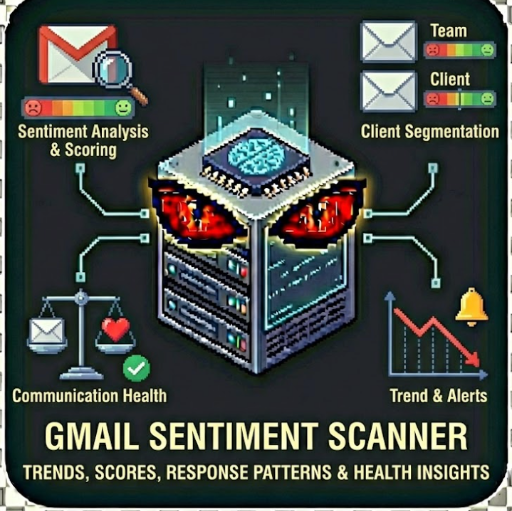
Analyze email trends for team & client communications. Get sentiment scores, response time patterns & communication health insights. This actor connects to Gmail API to analyze your email communications and provides: Sentiment Analysis Client Segmentation Communication Health Trend Detection Alerts

Gmail Sentiment Scanner

"AI-Powered Email Sentiment Analysis" by John Rippy | johnrippy.link
🏆 2025 Zapier Automation Hero of the YearProject Phoenix: A 95-step AI sales pipeline cutting development time by 50%. Read more →

---

Analyze email sentiment trends for team and client communications. Get sentiment scores, response time patterns, and communication health insights from your Gmail inbox.

What This Actor Does

This actor connects to Gmail API to analyze your email communications and provides:

Perfect For

Features

Input Examples

Demo Mode (No Credentials Required)

{

"demoMode": true,

"dateRange": "last_7_days",

"segmentByClient": true

}

Real Mode with Google OAuth

{

"demoMode": false,

"accessToken": "ya29.your-access-token",

"refreshToken": "your-refresh-token",

"clientId": "your-client-id.apps.googleusercontent.com",

"clientSecret": "your-client-secret",

"dateRange": "last_30_days",

"maxEmails": 200,

"filterType": "external_only",

"segmentByClient": true

}

Google OAuth Setup

To use this actor with real Gmail data:

1. Create Google Cloud Project

1. Go to Google Cloud Console

2. Create a new project or select existing

3. Enable the Gmail API

2. Configure OAuth Consent Screen

1. APIs & Services > OAuth consent screen

2. Choose "External" user type

3. Add required scopes: gmail.readonly

4. Add your email as a test user

3. Create OAuth Credentials

1. APIs & Services > Credentials

2. Create Credentials > OAuth client ID

3. Application type: Web application

4. Add authorized redirect URIs

5. Save Client ID and Client Secret

4. Get Access Token

Use Google's OAuth 2.0 Playground or your own OAuth flow to get tokens:

Output

Sentiment Overview

{

"demoMode": false,

"overview": {

"emailsAnalyzed": 156,

"overallSentiment": 62,

"sentimentLabel": "Positive",

"dateRange": "last_7_days",

"internalSentiment": 68,

"externalSentiment": 58

},

"trends": {

"weekOverWeek": 5,

"mostPositiveDay": "Tuesday",

"mostNegativeDay": "Monday"

}

}

Client Segments

{

"clientSegments": [

{

"domain": "acmecorp.com",

"emailCount": 12,

"avgSentiment": 75,

"sentimentTrend": "improving",

"topPositiveSubjects": ["Thank you for the quick turnaround!"],

"topNegativeSubjects": []

},

{

"domain": "troubledclient.com",

"emailCount": 8,

"avgSentiment": 32,

"sentimentTrend": "declining",

"topPositiveSubjects": [],

"topNegativeSubjects": ["Urgent: Issue with the latest update"]

}

]

}

Alerts & Recommendations

{

"alerts": [

{

"type": "client_concern",

"message": "2 client(s) showing declining sentiment",

"severity": "medium"

}

],

"recommendations": [

"Schedule check-in calls with: troubledclient.com, demandingco.com",

"Client communication sentiment is lower than internal - consider proactive outreach"

]

}

Sentiment Scoring

Detection Keywords

Positive signals: thank, appreciate, great, excellent, wonderful, love, excited, well done Negative signals: sorry, unfortunately, issue, problem, disappointed, frustrated, urgent, mistake Neutral dampeners: fyi, update, reminder, following up, attached

Limitations (Apify Version)

Enterprise Version

For continuous monitoring, team-wide insights, and automation:

Workspace Intelligence by LocalHowl

Privacy & Security

Related Actors

Support

---

Author

Built by John Rippy | johnrippy.link
2025 Zapier Automation Hero of the YearProject Phoenix: A 95-step AI sales pipeline cutting development time by 50%. Read more
Part of the Workspace Intelligence suite by LocalHowl
149,000
KILLS
100%
HEALTH
Doomguy
274
ACTORS
0/3
SECRETS