Imp Imp
← Back to Arsenal
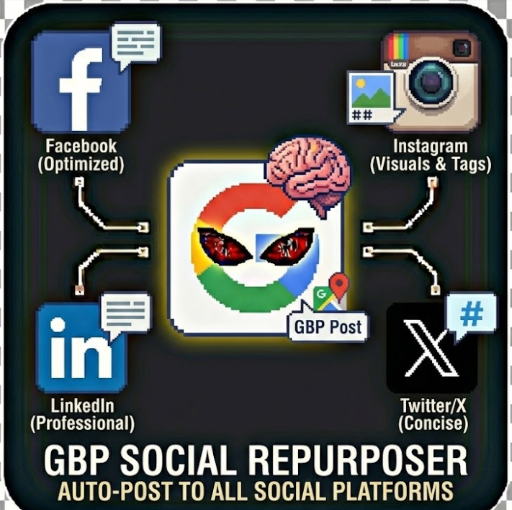
GBP Social Repurposer - Auto-Post to Social Platforms

GBP Social Repurposer - Auto-Post to Social Platforms

Social Media

Automatically transform and repurpose your Google Business Profile (GBP) posts for Facebook, Instagram, LinkedIn, and Twitter/X with AI-powered content optimization. Turn one GBP post into perfectly tailored content for every major social platform.

GBP Social Repurposer - Auto-Post Google Business Profile Content to All Social Platforms

Automatically transform and repurpose your Google Business Profile (GBP) posts for Facebook, Instagram, LinkedIn, and Twitter/X with AI-powered content optimization. Turn one GBP post into perfectly tailored content for every major social platform.

Why Use GBP Social Repurposer?

Managing multiple social media accounts is time-consuming. If you're already creating posts for Google Business Profile, why not maximize their reach? This actor:

Features

🤖 AI-Powered Content Adaptation

Uses Claude AI to intelligently rewrite your GBP posts for each platform:

📱 Multi-Platform Support

Post to all major social platforms:

⚙️ Flexible Scheduling Modes

🎯 Customization Options

How It Works

1. Provide GBP Posts: Input your Google Business Profile posts (text, images, post type)

2. Configure Platforms: Enable the social channels you want to target

3. Set AI Preferences: Choose tone, hashtags, and link preferences

4. Run the Actor: The AI transforms each GBP post for every platform

5. Review or Post: Preview the content or post immediately

Input Configuration

GBP Posts Input

Provide your GBP posts in this format:

{

"gbpPosts": [

{

"id": "post-123",

"text": "We're excited to announce our new spring collection!",

"imageUrls": ["https://example.com/spring-collection.jpg"],

"postType": "update",

"gbpUrl": "https://g.page/your-business/post/123"

}

]

}

Post Types Supported

Platform Credentials

Each platform requires its own API credentials:

Facebook/Instagram: LinkedIn: Twitter/X:

Output Data

The actor outputs comprehensive results:

{

"businessName": "Your Business",

"gbpPostsProcessed": 3,

"platformsEnabled": ["facebook", "instagram", "linkedin", "twitter"],

"scheduledPosts": [

{

"id": "post-1",

"originalGBPPost": { / original GBP post / },

"platformContents": [

{

"platform": "twitter",

"text": "🌸 Spring collection is HERE! New styles, fresh looks...",

"hashtags": ["SpringFashion", "NewArrivals"],

"characterCount": 142,

"characterLimit": 280,

"isWithinLimit": true

}

// ... other platforms

],

"status": "preview",

"results": [

{

"platform": "facebook",

"success": true,

"postId": "123456789",

"postUrl": "https://facebook.com/123456789"

}

]

}

],

"summary": {

"totalGBPPosts": 3,

"totalSocialPosts": 12,

"byPlatform": {

"facebook": 3,

"instagram": 3,

"linkedin": 3,

"twitter": 3

},

"successfulPosts": 12,

"failedPosts": 0

}

}

Use Cases

Local Business Marketing

Maximize your Google Business Profile content by extending reach to all social platforms. Perfect for:

Social Media Management Agencies

Streamline content distribution for multiple clients:

Multi-Location Businesses

Manage social presence for multiple locations:

Demo Mode

Enable demoMode: true to test the actor with sample GBP posts without requiring real API credentials. Demo mode:

Perfect for:

Pricing

This actor uses the pay-per-result pricing model:

Example: Processing 10 GBP posts to 4 platforms with AI and immediate posting:

Tips for Best Results

1. Include Images: Posts with images perform better on all platforms

2. Use AI Rewriting: The AI adaptation significantly improves engagement

3. Add Custom Hashtags: Include your brand hashtag for consistency

4. Test with Preview Mode: Always preview before enabling immediate posting

5. Monitor Results: Check the success/failure rates and adjust as needed

Frequently Asked Questions

Do I need API credentials for all platforms?

No! You can enable only the platforms you want to post to. Each platform is optional.

Can I preview posts before they go live?

Yes! Use scheduleMode: "preview" to generate all content without actually posting.

Does it work with GBP events and offers?

Absolutely. The AI is context-aware and optimizes event announcements and promotional offers appropriately for each platform.

What happens if a post fails?

Failed posts are logged with error details. Successful posts continue - one platform failure doesn't affect others.

Can I customize hashtags per platform?

The AI generates platform-appropriate hashtags, but you can also add custom hashtags that appear on all posts.

Related Actors

Support

---

Built by John Rippy - 2025 Zapier Automation Hero of the Year

Transform your local SEO strategy with automated social media distribution. One post, everywhere.

149,000
KILLS
100%
HEALTH
Doomguy
274
ACTORS
0/3
SECRETS